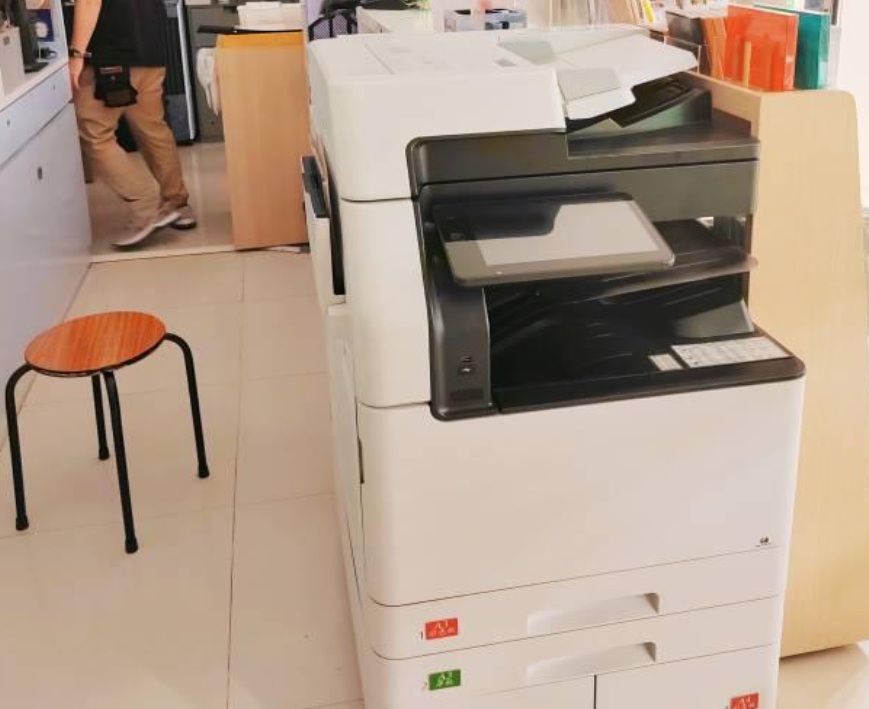



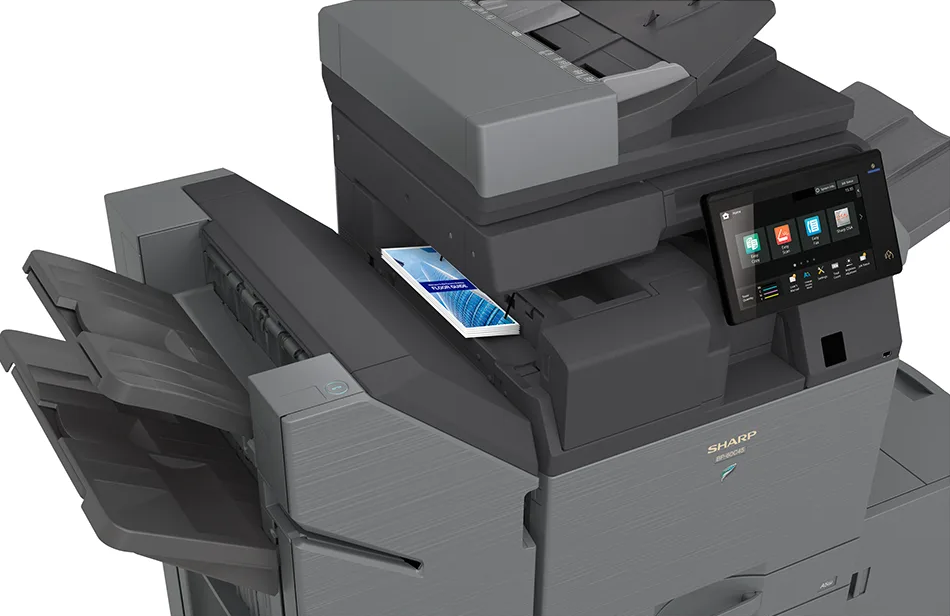
Have you ever felt that your copier is limiting your productivity? Well, Sharp Printers & Sharp copiers have been designed to change all that. Sharp’s BP Series multifunction printers combine printing, scanning, copying, and faxing into a single device, offering a complete solution for both business and personal use.
But what makes a multifunction printer the right choice for your printing needs? And how can it support your varied printing needs? DDS Group is here to answer all your questions! Scroll on down as we outline the key reasons why a multifunction printer is an essential tool for improving efficiency and simplifying daily operations. We’ll explore ten standout features of Sharp copiers that show just how much easier your workflow can become.
The Top 10 Features of Sharp Copiers
When it comes to dependable and high-performance multifunction copiers, Sharp has established a global reputation for delivering innovative and reliable office technology. Known for combining productivity, security, and flexibility, Sharp copiers are designed to meet the evolving demands of today’s workplaces. Whether your priority is faster turnaround, improved collaboration, or tighter data protection, Sharp’s multifunction devices can provide you and your business with the tools you need that go beyond basic copying and printing.
So if you are still wondering whether or not you should invest in a Sharp copier, here are the 10 key features that make them stand out as a leading choice in the industry.
1. High-Speed Printing & Copying
Efficiency is essential in a busy office. Sharp’s business copiers offer impressive print and copy speeds, ranging from 30 pages per minute (ppm) to more than 75 ppm depending on the model. This performance ensures teams can complete large jobs quickly and minimize downtime, making them well suited for schools, healthcare providers, and any corporate office with hectic business demands.
2. Advanced Security Features
In today’s digital workplace, secure document handling is non-negotiable. Sharp devices incorporate multi-layered protection, including data encryption, user authentication via PIN or ID card, and secure print release functions. These features ensure that confidential documents are only accessed by authorized personnel. In addition, Sharp is one of the first copier manufacturers to partner with Bitdefender for anti-malware protection, giving businesses extra peace of mind.
3. Cloud & Mobile Integration
Looking for seamless printing and scanning that can be done from your smartphone? Sharp multifunction printers integrate seamlessly with leading cloud platforms such as Google Drive, Microsoft OneDrive, Box, and Dropbox, enabling staff to scan, store, and print documents from virtually anywhere. Mobile printing support includes Apple AirPrint, Android’s Mopria, and Sharp’s own Synappx applications, making it simple for remote and hybrid workers to connect without complex setup.
4. User-Friendly Interface
Sharp copiers are designed with intuitive touchscreen panels that simplify everyday use for employees at every skill level. The large, tablet-style displays provide clear navigation, customizable menus, and one-touch access to frequently used functions, reducing the learning curve and saving time on routine tasks. Many models also support gesture controls and personalized user profiles, allowing staff to tailor the interface to their own workflow. This ease of use helps minimize errors, boosts productivity, and ensures that staff spend less time troubleshooting and more time focusing on their work.
5. Energy Efficiency
Environmental sustainability is a growing priority for businesses, and Sharp addresses this with Energy Star certified devices. Many of their copiers feature low-power modes, quick warm-up times, and automatic shutdown to reduce electricity consumption. In addition to this, Sharp’s use of long-life consumables helps minimize waste and lower total cost of ownership.
6. Document Management Solutions
Modern businesses need more than just printing and copying; they require integrated document management tools that keep information organized and accessible. Sharp copiers support direct integration with workflow applications, content management systems, and popular cloud storage platforms, enabling teams to digitize and store documents quickly. Features such as OCR (optical character recognition) allow scanned files to be converted into searchable, editable text, while automated filing options ensure consistent and secure record-keeping. These capabilities help companies streamline processes, reduce reliance on paper, and improve collaboration across departments.
7. High-Quality Output
Sharp’s printing technology ensures documents always look professional. With high-resolution output up to 1200 x 1200 dpi, users benefit from crisp text, rich text, and vibrant color reproduction. Whether producing reports, presentations, or marketing collateral, the results maintain consistency and accuracy across print jobs.
8. Scalability & Flexibility
Every business has unique requirements, and Sharp copiers are built with scalability and flexibility in mind. Their modular design allows organizations to start with a base model and expand functionality as their needs evolve. Options such as additional paper trays, advanced finishing units, and specialized scanning capabilities can be added to accommodate growing workloads. This adaptability makes Sharp devices a practical investment for both small offices seeking cost efficiency and larger enterprises that demand advanced document handling and higher capacity.
9. Reliability & Durability
Sharp has built its reputation on producing copiers that are both reliable and durable, capable of withstanding the demands of high-volume office environments. With robust engineering, long-life consumables, and precision components, these devices are designed to deliver consistent performance over time. Many models are tested to handle tens of thousands of pages per month, ensuring they can support heavy workloads without frequent breakdowns. This reliability not only reduces maintenance interruptions but also provides peace of mind for businesses that depend on uninterrupted document workflows.
10. Cost Efficiency
Operating costs are a critical factor for any business, and Sharp copiers are equipped with smart cost-saving features that reduce waste and improve efficiency. Automatic duplex (double-sided) printing helps cut down on paper use, while toner-saving modes extend the life of consumables. Remote monitoring tools provide insights into usage patterns, allowing businesses to optimize their printing habits and control expenses. Combined with low energy consumption and durable components that minimize service requirements, Sharp devices deliver long-term value by keeping total cost of ownership to a minimum.
Sharp Printers: Frequently Asked Questions
What are Sharp Multifunction Printers (MFPs)?
Sharp multifunction printers (MFPs) are versatile office devices that combine several key functions—printing, copying, scanning, and faxing—into one integrated machine. By consolidating these capabilities, Sharp MFPs eliminate the need for multiple standalone devices, helping businesses save space, reduce costs, and simplify daily operations. Beyond basic functionality, they are equipped with advanced features such as cloud connectivity, document security, and workflow automation, making them valuable tools for organizations aiming to boost productivity and improve efficiency in document management.
What makes Sharp copiers different from other brands?
Sharp copiers stand out for their user-friendly touchscreen interfaces, strong security features, cloud and mobile integration, and modular design. Many models also include Sharp OSA technology for third-party app integration and Bitdefender anti-malware protection, giving them an edge in both flexibility and data security.
Are Sharp copiers suitable for small businesses as well as large enterprises?
Absolutely. Sharp offers a wide range of models; from compact multifunction devices for small offices, to high-capacity systems built for large organizations. Their modular, scalable design makes them adaptable to businesses of all sizes.
What security measures are in place to protect sensitive documents?
Sharp MFPs use multi-layered security, including data encryption, user authentication (PIN, password, or ID card), secure print release, and optional Bitdefender anti-malware. These safeguards help protect confidential information at every stage of the document lifecycle.
How do Sharp MFPs help increase workflow efficiency?
Sharp devices feature one-touch scanning, automated workflows, OCR for searchable documents, and seamless integration with cloud storage and document management systems. These tools reduce manual steps and speed up document handling across teams.
Is leasing a Sharp copier better than buying for growing businesses?
Buying a Sharp copier outright might be better for organisations with stable, long-term requirements, but leasing is typically more cost-effective for growing businesses because it reduces upfront expenses, provides predictable monthly costs, and allows easy upgrades as needs change. It really depends on your specific set up; you can explore our Managed Print Services here, and if you have any queries, feel free to get in touch with us directly here.
How do Sharp MFPs support document systems and management?
Sharp MFPs integrate with document management software and workflow applications, enabling secure storage, indexing, and retrieval of digital files. Features like scan-to-cloud, OCR, and automated filing support efficient record-keeping and collaboration.
Conclusion
Ultimately, Sharp copiers combine advanced security, efficiency, and scalability, making them a smart long-term investment for any business. You can browse our selection of Sharp Printers & Sharp copiers here, or explore the full range of DDS products and services here. Need assistance? You can contact us directly here.