




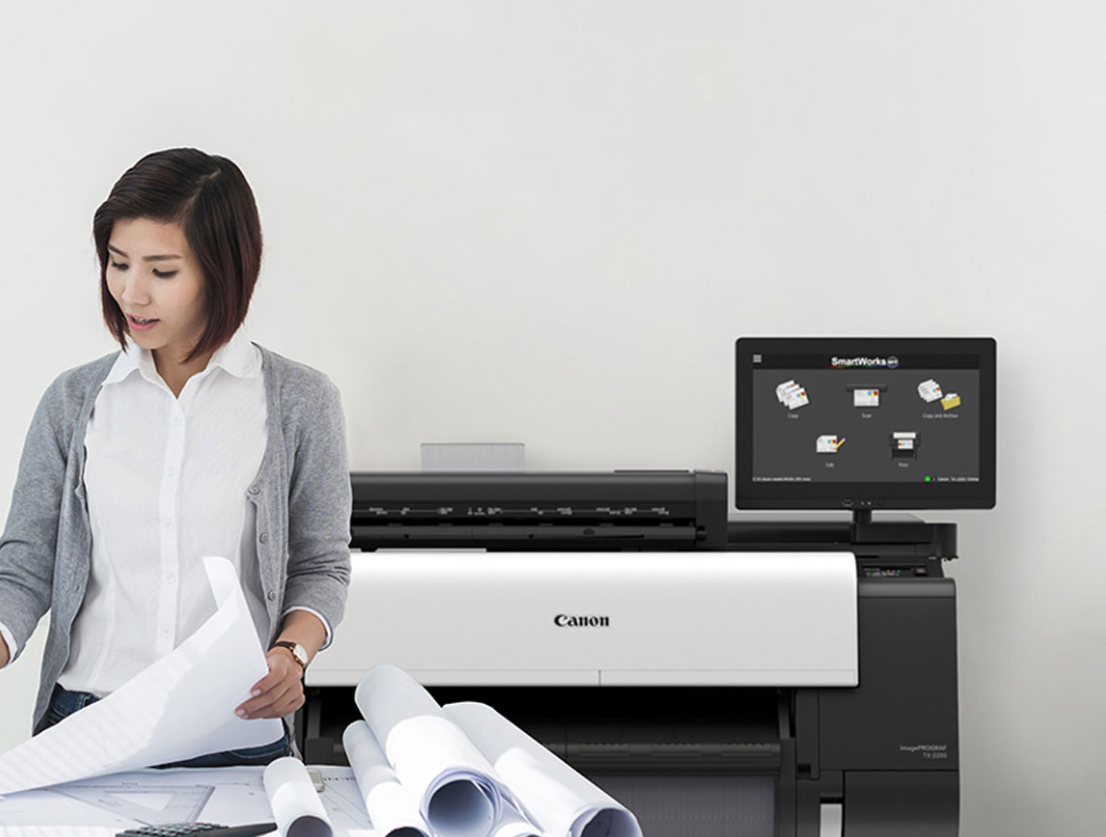
Large format printers (also known as wide format printers) are specially designed printers that have been built to handle print jobs that exceed standard sizes such as A4 or letter. Commonly used for producing posters, banners, architectural plans, and vehicle wraps, these printers can print on a wide variety of materials including paper, vinyl, fabric, and even rigid surfaces. Large format printers are specialised for printing on oversized media, making them ideal for large-scale graphics, technical drawings, and detailed visual designs. This has made them essential tools for businesses that need to create items like signage, blueprints, promotional displays, and more.
Understanding Large Format Printing Costs
Investing in a large format printer involves a considerable upfront cost, which should be accounted for when calculating the cost per print job. While owning your own equipment can reduce reliance on external providers, it's important to keep in mind that the initial purchase is only part of the total investment. Below are some of the main expenses that should be considered when buying a large format printer.
Initial Investment
Printer Purchase Price:
Large format printers range widely in cost, and the price will depend on whether or not you’re after an entry-level model or a high-end machine with advanced capabilities like high-speed production, multiple ink channels, or UV printing.
Floor Space:
These printers require substantial physical space, often needing a dedicated area with proper ventilation and clearance for material handling and maintenance access.
Software and RIP (Raster Image Processor) Costs:
RIP software is essential for accurate colour control and layout management. Prices vary from a few hundred to several thousand AUD, depending on features and licensing.
Consumables
Ink/Toner:
Ink is the most significant ongoing cost, especially for solvent, latex, or UV printers. Running costs can average AUD $0.50–$2.00 per square metre, depending on ink type and coverage.
Media/Substrates:
Media costs vary by type—standard paper is inexpensive, but vinyl, canvas, and specialty films can be much more costly. Usage depends on print volume and application.
Printheads:
Printheads are wear parts that may need replacement after a certain number of prints or hours of use. Replacement costs vary, depending on the printer model.
Maintenance and Other Costs:
Regular Cleaning and Servicing:
Routine maintenance, including nozzle checks and head cleanings, helps prevent clogs and ensures print quality. Some printers also require periodic servicing by certified technicians.
Power Consumption:
Power usage varies by model and technology. For example, UV printers or those with heaters (like latex printers) consume more electricity. Expect usage around 0.5–3 kWh per hour of operation.
Labor (Design, Setup, Printing):
Skilled labour is typically needed for file preparation, color management, and printer operation. Labor costs should include time spent on setup, material loading, calibration, and post-print finishing.
Strategies to Reduce Ink & Toner Costs
Ink Type and Compatibility:
1. OEM vs. Third-Party Inks
Original Equipment Manufacturer (OEM) inks are specifically formulated for a given printer model, ensuring consistent quality and reliability, but they come at a premium price. Third-party inks are generally more affordable and can offer good results, but they may void warranties, clog printheads, or produce inconsistent colours. Businesses must weigh cost savings against potential risks to print quality and machine lifespan.
2. Pigment vs. Dye-Based Inks
Pigment inks are known for their durability, water resistance, and UV stability, making them ideal for outdoor or archival use—though they often cost more upfront. Dye-based inks, while cheaper, are more vibrant and better suited for indoor prints with lower longevity requirements. Understanding your application helps determine which type offers better value over time.
Ink Management Techniques:
1. Batch Printing to Minimize Ink Waste
Printing multiple jobs in batches reduces the frequency of printer start-ups, which often trigger automatic cleaning cycles that consume ink. It also helps prevent ink drying in the nozzles between jobs, cutting down on waste and unnecessary head cleanings.
2. Proper Storage of Ink Cartridges or Bottles
Ink should be stored upright in a cool, dry environment away from direct sunlight to preserve quality. Expired or improperly stored ink can thicken or degrade, leading to clogs, poor print quality, and waste.
3. Utilizing All Ink Colours Efficiently
By applying accurate colour profiles and balanced design practices, businesses can ensure even usage of all ink channels. This prevents premature depletion of specific colours (such as black or cyan), and reduces the frequency of partial cartridge replacements.
RIP Software Optimization:
1. Nesting and Tiling Images to Minimize Media Waste
RIP software can automatically arrange multiple print jobs (nesting) to maximise space on the media roll, reducing offcuts and wasted ink. This is particularly beneficial when printing multiple small items or designs.
2. Advanced Color Management
Fine-tuning colour output using RIP software helps achieve precise colours on the first print, reducing costly reprints due to mismatches. ICC profiles, ink limiting, and spot colour replacement can all contribute to more efficient ink use while maintaining quality.
Explore a Wide Range of Media Options
Media represents a significant percentage of overall printing costs. Opting for larger paper rolls can help lower expenses by reducing the frequency of roll changes, limiting paper waste, and minimising downtime during reloading. This also decreases the likelihood of user errors and interruptions during print jobs. Some manufacturers provide larger roll formats that offer a more economical cost per square metre compared to standard-sized rolls.
While print quality should never be compromised, choosing more affordable paper options that still meet your project’s requirements can lead to noticeable savings. For instance, certain lightweight poster papers are budget-friendly while delivering excellent print results—such as sharp images, vibrant colours, low glare, and quick drying—making them well-suited for posters, signage, and display materials.
Today’s media manufacturers offer a wide variety of products designed to balance performance and cost. When selecting paper or substrates, it’s important to evaluate attributes such as weight, surface finish, and durability to ensure the media is both cost-effective and appropriate for the intended use.
Implement Print Management Software
Effectively managing the complexities of large format printing requires a reliable print management solution—one that acts as a true partner in streamlining operations. A robust wide format printer management system helps optimise resource usage, minimise waste, and maintain consistent print quality, all while simplifying day-to-day processes. When integrated into regular workflows, print management software automates key tasks and enhances overall efficiency.
Ultimately, a quality print management software will allow a business to choose only the features they need, making it a flexible and cost-effective option for companies of all sizes.
Regular Maintenance to Avoid Wasted Prints
Regular servicing of large format printers is essential for maintaining print quality, reducing waste, and avoiding costly downtime. Without routine maintenance, ink can build up on printheads, causing clogs, banding, and alignment issues that often lead to reprints and excess use of ink and media. Dust accumulation and neglected cleaning cycles can also degrade performance over time, resulting in inconsistent output and longer print times. In the worst cases, lack of upkeep can cause complete printer failure, halting production and delaying jobs, directly impacting profitability. By proactively servicing your equipment, you not only extend its lifespan but also ensure each print job runs efficiently, with minimal errors and lower material consumption.
Conclusion
Reducing large format printing costs is not just about cutting corners; it's about making smarter, more strategic decisions. From using draft modes and efficient print layouts to regular equipment maintenance and choosing energy-efficient printers, every choice can impact your bottom line. Routine servicing helps prevent downtime and material waste, while workflow automation and the right media selection can further streamline operations and reduce long-term expenses.
At DDS, we offer a comprehensive range of large format printers and print management solutions tailored to meet your business needs. Our experts can help you make the right choices to improve efficiency, minimise waste, and achieve consistent, high-quality results at an affordable cost. You can explore the DDS range today. Need direct assistance? You can get in touch directly with one of our friendly experts here.


