




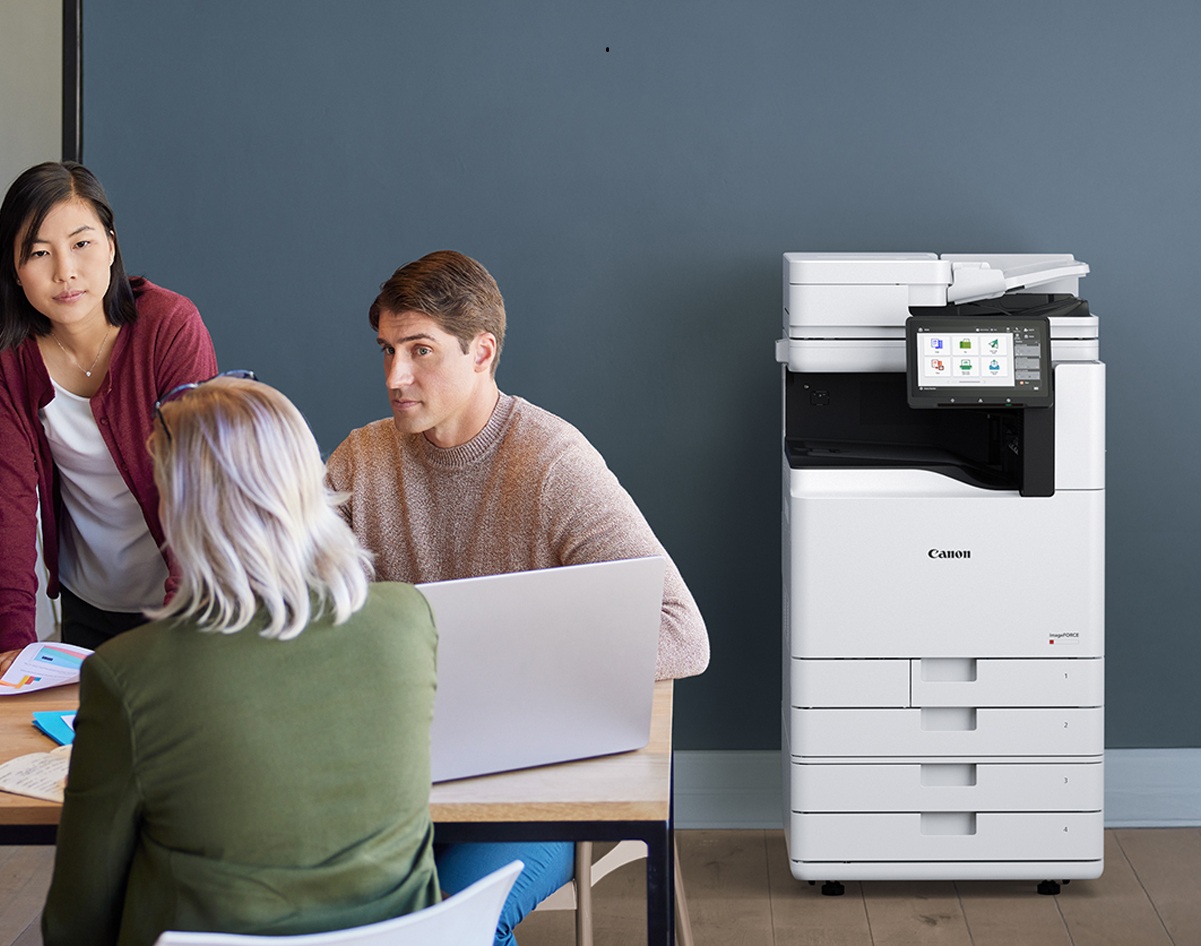
The humble photocopier remains one of the most essential pieces of office equipment in modern Melbourne’s fast-paced business environments. From handling high-volume printing to providing scanning, copying, and document management features, they play a central role in keeping daily operations running smoothly. But when it comes to expenses, this indispensable equipment can come with a significant financial consideration: is it better to buy your photocopier outright, or is photocopier rental the smarter option?
Making this decision without a clear cost-benefit analysis can impact your company’s productivity, as well as your bottom line. Renting may suit businesses with short-term needs, limited budgets, or rapidly changing workloads, as it reduces upfront investment and shifts maintenance responsibilities to the supplier. Buying, on the other hand, can be a strategic long-term investment, offering continuous access to the machine, lower costs over time, and even potential tax advantages. By carefully weighing these factors, businesses can ensure they choose the option that supports both financial stability and operational efficiency. So let’s dive in!
The Various Factors That Influence Photocopier Costs
- Buying vs. Leasing: When choosing between purchasing or leasing a photocopier, the key is balancing upfront cost with long-term flexibility. Buying means a significant capital investment initially, but it also gives you full ownership and control over the device. Leasing or renting, on the other hand, typically requires lower upfront cost, enables regular upgrades, and often bundles in maintenance. However, over time, leasing may cost more overall. A good cost-benefit analysis, including break-even calculations, can help determine which option is more economical for your usage and cash flow.
- Basic Desktop Copiers vs. Multifunction Copiers: Not all copiers are created equal. Basic desktop units may serve simple printing tasks, but multifunction copiers offer added capabilities like scanning, faxing, and often document workflow integration. These extra features raise the device cost, but for many offices they deliver better value by consolidating multiple machines into one and reducing operational overhead.
- Printing Capacity: One of the strongest cost drivers is how fast the machine prints (pages per minute) and how many pages it can reliably produce each month (duty cycle). High-capacity copiers built for large volumes will cost more up front, but they better handle heavy workloads with less wear. Underestimating your volume needs may lead to overtaxing a low-end machine, which increases maintenance and downtime costs.
- Features: Advanced features such as wireless printing, cloud storage connectivity, mobile app support, and strong security functions (user authentication, encryption) also affect cost. These capabilities add convenience, support modern workflows, and reduce IT burden—but they come at a premium. It’s crucial to assess which features your business will actually use and pay for accordingly, rather than over-invest in unused extras.
- Brand and Service Support: Even the best copier is only as useful as the service behind it. When choosing a brand, check whether reliable service and parts support exist in Melbourne. Brands with established local dealers, fast response times, and good warranties can reduce downtime and repair costs. Lack of nearby support may mean shipping delays, higher labor fees, or longer periods offline.
Photocopier Cost Breakdown
When considering a new photocopier for your business, it’s important to look beyond the purchase price. The true cost involves a mix of upfront investment, running expenses, and long-term ownership factors. Understanding these elements will help you make a more informed decision and avoid unexpected surprises later on.
- Upfront Purchase Price: Buying a copier outright gives your business full ownership, but the costs vary widely depending on size and functionality. Entry-level models can be found between $800–$2,000, making them suitable for small offices or light use. Mid-range machines, designed for moderate workloads, usually fall in the $2,000–$6,000 range. For enterprise-grade multifunction devices, capable of handling high volumes with advanced features, the price can climb to $6,000–$15,000 or more.
- Leasing or Rental Costs: Leasing has become a popular option for many businesses because it spreads out costs while providing access to newer technology. Monthly lease rates typically range from $50–$200+, depending on the machine’s model, the included features, and the length of the contract. Leasing also has the added benefit of easier upgrades when your office needs change.
- Ongoing Running Costs: The day-to-day operation of a photocopier comes with regular expenses. These include toner and ink supplies, paper, servicing, and repairs. Energy consumption is another factor, especially for offices running machines around the clock. Over time, these running costs often exceed the initial purchase price, making them a critical part of budget planning.
- Total Cost of Ownership (TCO): To get a true picture of value, businesses should calculate the total cost of ownership over a 3–5 year period. TCO includes all associated costs—whether purchase or lease payments, maintenance, consumables, or electricity usage. This long-term view helps determine whether leasing or buying delivers the most cost-effective solution for your workplace.
Every office has unique requirements, from workload and team size to security needs and budget constraints. To get the most accurate understanding of what a photocopier will cost your business, it’s best to seek professional advice. Contact DDS today for a tailored quote and guidance on choosing the right solution for your office.
Hidden Costs to Look Out For
When evaluating a copier purchase or lease, many businesses focus mainly on the upfront price or monthly rental fee. However, there are several hidden costs that can significantly affect the overall expense of ownership and long-term value. By factoring in the following considerations, you and your business can get a more accurate picture of the total cost of ownership and can make smarter choices when deciding whether to buy or lease.
- Maintenance Costs: Regular servicing is essential to keep machines running smoothly, but service contracts and technician visits can add up. Preventative maintenance is often overlooked in budgeting, yet it plays a big role in reducing unexpected breakdowns.
- Expensive Repairs: Even well-maintained copiers can develop faults, and major repairs such as replacing a fuser unit or imaging drum can be costly. For businesses that own their machines, these expenses often come without warning.
- Consumables & Replacement Parts: Beyond paper and toner, copiers require consumables like drums, rollers, and developer units, which need replacing at intervals. These costs vary by brand and model but should be factored into the running budget.
- Technology Depreciation & Upgrades: Copier technology evolves quickly. A device that is state-of-the-art today may lack efficiency, connectivity, or security features in just a few years. Businesses that purchase outright risk owning outdated equipment, while upgrades bring additional costs.
- Cost Per Page (CPP): The cost of each printed page differs depending on whether the copier uses inkjet or laser technology. Inkjet printers generally have higher running costs per page, while laser copiers, though more expensive upfront, usually provide lower CPP over the long term.
- Downtime & Productivity Loss: An unreliable machine that breaks down frequently can slow or even halt office workflows. The hidden cost here is reduced productivity, missed deadlines, and employee frustration; factors that can be just as damaging as direct financial expenses.
Cost Recommendations According to Business Size
When selecting a photocopier, the right approach often depends on the size and needs of your business. Each stage of growth comes with different priorities, from keeping costs low to maximising efficiency and long-term value.
- Small Businesses and Startups: For smaller teams or new ventures, keeping expenses under control is key. Budget-friendly multifunction copiers that combine printing, scanning, copying, and faxing into a single device are often the best fit. In some cases, a short-term rental or lease can provide flexibility without the heavy upfront cost, making it easier to upgrade later as the business grows.
- Medium-Sized Businesses: At this level, printing volumes are higher, and workflows are more complex. A mid-range multifunction system often strikes the right balance between affordability and performance. Many medium businesses benefit from a mix of purchase and lease options, allowing them to own core equipment while leasing additional machines to handle peak workloads or specialised tasks.
- Large Enterprises: For large organisations with multiple departments and high-volume printing needs, the best value often comes from investing in high-end copiers supported by managed print services. This approach not only ensures reliable performance and advanced features like document security and cloud integration but also simplifies maintenance and cost tracking across the entire business.
You can contact DDS directly to get a custom quote for your business.
Conclusion
Deciding whether to rent or buy a copier comes down to balancing upfront costs with long-term efficiency and flexibility. DDS is here to help you weigh up your options and find the perfect solution for your business. Whether you rent or buy, choosing the right copier from DDS means investing in long-term efficiency, reliability, and cost savings. You can browse our range of printer options here, or explore our Managed Printer Service (MPS) options here.


