




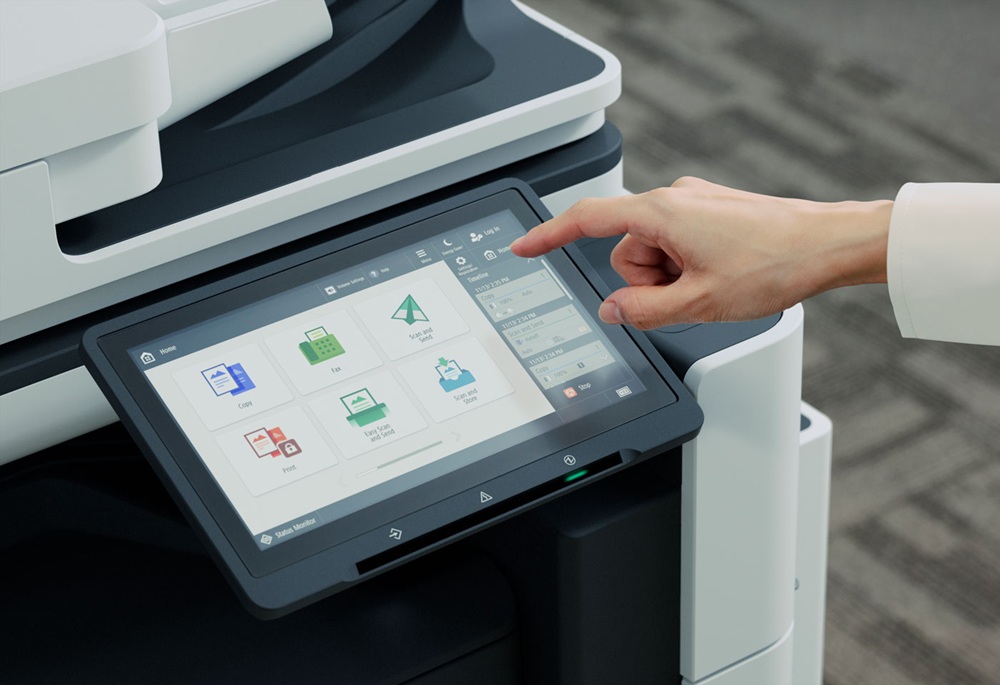
In the always-evolving office space, A3 Photocopiers continue to offer reliability, versatility, and an ability to facilitate both creativity and productivity in the workplace. Multifunction A3 printers now offer far more than standard printing. They have evolved into comprehensive office tools that support a wide range of tasks, including printing, scanning, copying, digital workflows, and advanced finishing. Their capability to handle larger paper sizes is especially beneficial for organisations that regularly produce ledger documents, posters, marketing materials, blueprints, and architectural drawings.
By producing documents at full size without the need for resizing, A3 printers help maintain the clarity, accuracy, and visual impact needed in design-heavy or information-rich documents. They are well suited to high-volume environments and teams that rely on consistent output quality or specialised finishing options. As workplaces place greater value on both creativity and productivity, A3 photocopiers have become essential tools that allow teams to generate polished, professional materials in-house. Investing in an A3 device can empower staff to work more efficiently, collaborate more easily, and explore creative formats that smaller printers cannot support.
What Makes An A3 Photocopier Different?
A3 photocopiers are multifunction devices that handle paper up to A3 size (297 × 420 mm), which is double the surface area of standard A4. Because they support this larger format, they can print, copy, and scan bigger documents in full — no scaling down required. Unlike typical A4 machines that are designed for everyday letters, memos, and reports, A3 models are built to manage visually rich or large-scale content, making them ideal for posters, presentations, architectural plans, and other design-driven materials.
These devices have evolved well beyond the capabilities of basic printers. Modern A3 MFPs combine high-resolution print engines with advanced scanning and copying functionality, as well as optional finishing (like stapling or booklet folding), making them truly all-in-one productivity hubs. Because of their robust build and advanced features, they’re often faster, more powerful, and more reliable than A4 models.
In creative environments, such as design studios, marketing teams, or architectural offices, A3 photocopiers unlock new possibilities. You can produce eye-catching posters, marketing collateral, concept sketches, and full-scale blueprints in-house. This not only saves time and outsourcing costs, but also gives teams greater control over visual quality and iteration.
From a productivity standpoint, investing in an A3 copier empowers teams to work more efficiently. Whether printing large visuals for a pitch, scanning wide-format reference materials, or making colour copies of diagrams and layouts, staff can handle more complex tasks without switching to a specialist print shop. The result? A faster turnaround, a better creative output, and a stronger capability to collaborate around large-format content.
Enhancing Workplace Creativity
A3 photocopiers help teams bring big ideas to life by allowing them to visualise concepts at a much larger scale than standard printers. With the capacity to print, copy, and scan up to A3 size, these machines make it easy to produce detailed mock-ups, storyboards, and architectural plans with precision and clarity. Rather than trying to shoehorn complex designs into smaller formats, teams can lay out full-scale visuals — whether that’s a design prototype, a marketing storyboard, or a building blueprint — and work directly in the size that best represents their creative vision.
For marketing and design teams, A3 MFPs are transformative. They enable in-house production of vibrant, professional-quality materials, from posters and campaign layouts to brochures and concept visuals, without relying on external print shops. This means they can test creative ideas quickly, iterate on designs, and print internally whenever they want, which speeds up the creative process and reduces costs.
These copiers also support a wide variety of media: different paper types, colours, and weights. Add to that flexible finishing options like saddle stitching, stapling, and folding, and teams have a powerful tool for producing polished, finished work that feels tailored and high quality.
Finally, because A3 devices are built for high-volume, multifunction use, they often include advanced scanning workflows, such as smart scanning with auto-set resolution, and collaborative cloud integration (e.g. with Google Drive or Microsoft Teams), allowing teams to digitise large-format content and share it seamlessly.
Boosting Productivity & Efficiency
A3 multifunction printers (MFPs) bring together a robust set of features — printing, scanning, faxing, emailing, duplex printing, and professional finishing — all in a single, powerful office device. With built-in tools to scan and send documents directly to email or cloud services, and automatic double‑sided (duplex) printing and scanning, these machines dramatically cut down on manual handling. Rather than manually re-feeding pages or switching between devices, teams can automate workflows and free up time for higher-value tasks.
Advanced document‑management capabilities further streamline operations. Cloud connectivity (such as integration with Google Drive, Microsoft Teams, or other cloud platforms) allows scanned documents to be saved, shared, and accessed instantly, reducing the need to physically handle and re-file printed pages. These systems also support secure storage, user authentication, and job‑release features, helping to centralise control over document workflows and limit wastage.
In terms of performance, A3 MFPs deliver high-speed printing and scanning, which is especially important for large batch production. Because they’re designed for high-volume use, they tend to have lower downtime, robust consumable capacity, and support for heavy workloads, which makes them more cost-efficient over time than outsourcing print tasks. Large-format finishing options (like stapling, folding, booklet making) mean teams can produce production‑quality materials internally.
Altogether, by investing in an A3 MFP with multifunction capabilities and strong document-management support, organisations can increase productivity, reduce reliance on external print services, and give their teams the tools to document, distribute, and finish with enhanced efficiency and greater speed.
Smart & Sustainable Work Practices
Modern A3 multifunctional printers, such as Sharp’s BP-Series, are designed with sustainability and efficiency in mind. Their energy‑efficient architecture cuts power consumption dramatically, helping organisations reduce their carbon footprint and lower electricity costs. These models also emit significantly less ozone, and many are certified under Energy Star 3.0, meaning they deliver high performance but use less energy overall.
To minimise waste, BP-Series devices support default duplex (double-sided) printing, which slashes paper usage. They also offer a “Print-Release” function: print jobs sit in a secure queue until released by the user at the physical device, eliminating the common problem of uncollected documents and reducing unnecessary reprints. Automatic paper-size detection and skew correction help ensure each job prints correctly the first time, reducing misprints.
On the digital side, these A3 MFPs are built for seamless workflow integration. They connect directly to cloud platforms — like Microsoft Teams, OneDrive, Google Drive, Dropbox, and SharePoint — allowing remote or hybrid teams to send, receive, and manage documents from anywhere. Their smart scanning technology automatically optimises resolution, gradation, and compression, while also reorienting skewed pages, all with a tap; thus helping to speed up digitisation and reduce manual scanning effort.
These features contribute to smarter document storage. Rather than printing everything and filing it physically, teams can scan to the cloud, organise files digitally, and securely store them without wasting paper. The Print‑Release system adds a layer of security, too, by ensuring sensitive documents aren’t left lying around.
In today’s hybrid work environments — where employees split time between office and remote locations — these A3 MFPs support collaboration in powerful ways. Cloud connectivity ensures that team members, regardless of location, can access the same documents, scan files directly into shared folders, and print from their devices. This connectivity, combined with energy-efficient operation and reduced waste, makes them not just practical but responsible tools for modern workplaces.
Conclusion
A3 multifunctional photocopiers are powerful tools that simultaneously enhance creativity and productivity. They allow teams to visualise ideas at full scale — from marketing mock-ups and storyboards to architectural plans — while streamlining everyday office tasks such as printing, scanning, and secure document management. By integrating cloud workflows and advanced finishing options, these devices help reduce paper waste, speed up collaboration, and support modern hybrid work environments.
DDS Group offers a full range of A3 printers and multifunctional solutions, from installation and maintenance to consumables and workflow integration. Contact DDS Group to explore the ideal solution for your office needs.


