




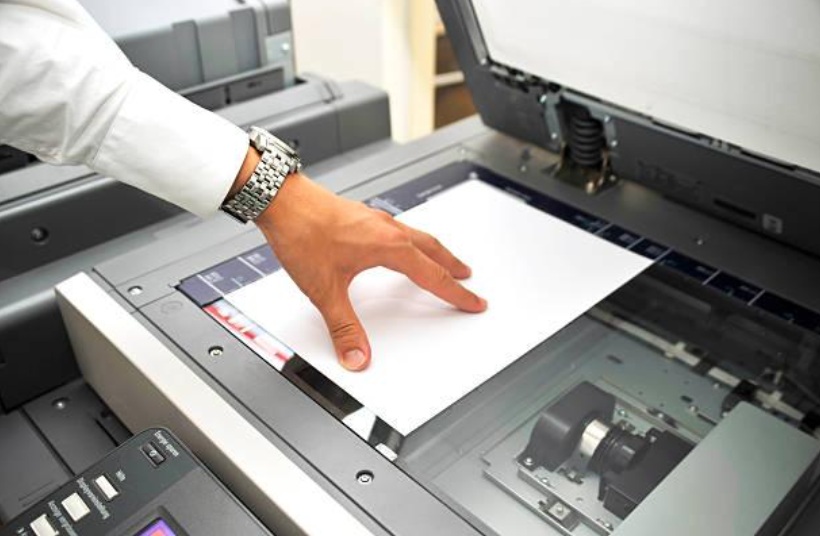
No matter where you are in the world, you’ll invariably find that quality colour copiers & colour printers are the beating hearts of small-to-medium businesses (SMB). That’s because having the right technology is critical to maintaining productivity and staying competitive in today’s fast-paced business environment. Beyond internet connectivity, ergonomic workstations, and up-to-date software, one piece of office equipment that should never be overlooked is a reliable colour copier. For SMBs, a dependable colour copier can make a significant impact on daily operations; whether you're producing professional client presentations, marketing materials, or internal documents. Poor-quality prints or downtime due to unreliable machines can not only disrupt workflows, but they can also create a negative and in some cases irreparably poor impression on clients and partners.
Modern colour copiers have evolved into multifunction printers (MFPs), combining printing, copying, scanning, and even faxing into a single, space-saving device. This all-in-one functionality streamlines office processes, reduces the need for multiple machines, and helps teams work more efficiently. Investing in a high-quality colour copier ensures that your business has the tools needed to deliver crisp, vibrant documents quickly and reliably — enhancing your professionalism and supporting smooth day-to-day operations. You can browse colour printers and colour copiers here, or scroll down to learn more.
Why Your SMB Needs a Colour Copier
Colour copies offer a slew of benefits for any SMB. They can help you…
- Maintain Impressive Professional Quality: When it comes to business, first impressions count. Whether you're printing brochures, presentations, proposals, or signage, high-quality colour printing helps your brand stand out. Rich, accurate colour enhances visual appeal, increases engagement, and even improves memory retention. From marketing materials to internal reports, full-colour prints can influence decision-makers and elevate how your business is perceived. Modern multifunction printers (MFPs) offer near-offset quality with sharp resolution and consistent branding, making it easier than ever to produce polished, professional documents in-house.
- Reduce Outsourcing Costs: Outsourcing design and print jobs can quickly add up… especially when you're frequently updating collateral or printing in smaller quantities. But with a reliable in-house colour printer, you gain control over turnaround times, reduce reliance on third-party vendors, and eliminate unnecessary shipping or service fees. Today's digital colour MFPs offer cost-efficient performance at the literal tip of your fingertip, allowing you to print exactly what you need, when you need it, without ever having to compromise on quality.
- Boost Productivity With All-in-One Features: Modern colour printers are more than just copiers — they’re powerful multifunction hubs that streamline office workflows. Scanning, faxing, and printing are all integrated into a single device, reducing clutter and improving efficiency. Features like secure document handling, cloud connectivity, and mobile access make these devices an ideal fit for fast-paced environments. With one compact unit handling multiple tasks, your team stays focused, your processes stay smooth, and your productivity gets a major upgrade.
Key Features To Look Out For
When buying your next colour copier/printer, make sure you consider the following factors:
- Print Speed (Pages Per Minute): Print speed, measured as pages per minute (PPM), is an important consideration when selecting a color copier. Faster machines reduce wait times, increase productivity, and handle larger print volumes with ease. While the ideal PPM depends on your business size, print volume, and finishing needs, typical speeds range from 25 to 70 PPM. Small to medium-sized businesses often find copiers with 30-40 PPM to be a perfect balance, while larger offices with heavy workloads benefit from machines capable of 50 PPM or more. Choosing the right speed ensures your copier matches your workflow demands efficiently.
- Print Resolution (DPI): Print resolution, measured in dots per inch (DPI), determines the sharpness and clarity of your printed documents and images. A higher DPI means finer detail and smoother color transitions, which is especially important for marketing materials, photos, and presentations. While 600 DPI is generally sufficient for everyday office documents and internal reports, opting for 1200 DPI or higher ensures professional-quality prints that can impress clients and stakeholders. Choosing the right DPI helps balance print quality with speed and cost.
- Monthly Duty Cycle: The monthly duty cycle indicates the maximum number of pages a printer or copier is designed to handle reliably within a month without excessive wear. It’s a crucial factor to consider for maintaining device longevity and performance. Selecting a machine with a duty cycle that matches or exceeds your typical print volume helps prevent breakdowns and frequent maintenance. For businesses with moderate printing needs, a lower duty cycle might suffice, while high-volume offices require robust machines designed for heavy use.
- Cost Per Page (Running Costs): Running costs include all expenses involved in printing each page, such as toner or ink cartridges, paper, and maintenance supplies. A low cost per page is essential to keep printing affordable, especially for businesses that print large volumes regularly. It’s important to factor in not just the initial purchase price but also ongoing consumables and service requirements. Efficient printers with economical toner usage or high-yield cartridges provide better long-term value and help control office budgets.
- Connectivity Options (Wi-Fi, Ethernet, Mobile Printing): Modern color copiers offer various connectivity options to suit different office setups and user needs. Ethernet connections provide stable, high-speed networking for multiple users, while Wi-Fi enables wireless printing, reducing cable clutter and increasing placement flexibility. Mobile printing support allows employees to print directly from smartphones or tablets, enhancing convenience and productivity. A copier with diverse connectivity options ensures seamless integration into your existing IT infrastructure and accommodates future technology upgrades.
- Security Features: With increasing concerns about data breaches and document privacy, built-in security features are vital in color copiers. Look for functions like user authentication to restrict access, secure print release to prevent sensitive documents from being left unattended, and data encryption to protect information during transmission. Advanced models also offer audit trails and compliance tools to help businesses meet regulatory requirements. Investing in copiers with robust security safeguards protects your confidential data and maintains trust with clients and partners.
- Size and Footprint (Space-Saving Design): The physical size and design of a color copier can significantly impact your office layout and workflow. Space-saving models with compact footprints are ideal for small offices or areas with limited room, allowing placement on desks or small tables without sacrificing functionality. Even in larger offices, smaller devices can help optimize workspace and reduce clutter. When choosing a copier, consider the space available as well as access for maintenance and paper loading to ensure a smooth daily operation.
- Ease of Use and Maintenance: User-friendly copiers reduce downtime and improve overall efficiency by simplifying everyday tasks such as printing, scanning, and copying. Features like intuitive touchscreens, clear menus, and easy-to-understand controls make it simple for all staff to operate the device without extensive training. Additionally, straightforward maintenance procedures — like quick toner replacement, jam clearance, and accessible service panels — minimize disruptions. Reliable customer support and regular firmware updates also contribute to hassle-free operation and longer device lifespan.
The Top Colour Copiers For Small Businesses in 2025
- BP-50C26 Sharp Photocopier: The BP50C26 sharp photocopier is essentials series propels organizations into the future of business communication by enabling smarter, more efficient workflows. Crafted to accommodate today’s varied workstyles, this new Essentials series empowers employees to collaborate and share information effortlessly and securely across the entire office environment.
- MX-7081 / MX-8081 Sharp Photocopier: The Sharp MX-7081 and MX-8081 color document systems support A3 and A4 paper sizes and offer multi-function capabilities with impressive print speeds ranging from 70 to 80 pages per minute. Built using the latest technology, these systems provide the performance, advanced features, and reliability essential for meeting the demands of today’s fast-paced and busy workplace environments.
- Canon imageFORCE C7165: The Canon imageFORCE C7165 is a versatile device designed to handle light production output and meet a wide variety of printing needs. Whether you’re producing creative marketing materials such as brochures, posters, invitations, or banners, this system delivers exceptional quality thanks to Canon’s advanced D² Exposure OLED technology, offering stunning image resolution up to 4800 x 2400 dpi. Built to be extremely user friendly, it features an intuitive, modern user interface that simplifies operation with clear function identification, making it easy and efficient to use.
- BP-60C31 Sharp Photocopier: The BP-60C31 sharp photocopier advanced Series ushers organizations into the future of business communication by enabling smarter, more efficient workflows. Tailored to support today’s varied workstyles, this series empowers employees to collaborate and share information smoothly and securely across the entire office. With built-in cloud services like Microsoft Teams, it simplifies communication and enhances productivity, especially for hybrid work environments. Make the Sharp BP60C31 a dependable and integral part of your office today.
- Canon imageCLASS X ICXC1333iF: The Canon imageCLASS X C1333iF features a 5-inch color touchscreen with an intuitive design that makes navigation simple, even for users with minimal training. It delivers fast printing speeds of up to 33 pages per minute at sharp 1200x1200 dpi resolution, along with rapid scanning at up to 100 images per minute, boosting overall productivity. Its one-touch Application Library allows easy customization of workflows, quick access to frequently used forms, and seamless electronic document distribution—all designed to streamline operations and enhance efficiency.
Inkjet Vs. Laser Copiers
When choosing between inkjet and laser printers, it’s important to understand their key differences and how they align with your printing needs. Inkjet printers spray tiny droplets of liquid ink onto paper, delivering excellent color quality and smooth gradients, especially for photos and creative projects. They tend to have a lower initial purchase price and a compact design, making them ideal for home users or small businesses with light, versatile printing demands. However, inkjet cartridges can dry out if unused for long periods, and their ink tends to be costly and less durable, with prints prone to smudging or fading over time.
Laser printers use a toner powder and laser technology to produce sharp, fast, and smudge-proof prints, making them well suited for offices with high-volume text printing needs. Although they usually have a higher upfront cost and larger size, their toner cartridges last longer and reduce the cost per page over time. Laser printers excel at producing crisp text and graphics but generally lack the rich color depth required for high-quality photo printing. They also consume more energy during operation. Choosing the right printer depends on whether your priority is vibrant, detailed color prints or efficient, cost-effective text output.
| FEATURE | INKJET PRINTER | LASER PRINTER |
| Initial Cost | Lower | Higher |
| Ink Type | Liquid ink, can dry out | Toner powder, doesn’t dry out |
| Print Quality | Superior for photos and color graphics | Superior for text and sharp lines |
| Speed | Slower | Faster |
| Cost Per Page | Higher (frequent cartridge replacement) | Lower (long-lasting toner) |
| Size | Compact, lightweight | Larger, heavier |
| Durability | Less durable, requires frequent cleaning | More durable, less maintenance |
| Best Use Case | Photo printing, creative projects | High-volume document printing |
How to Match a Copier To Your SMB’s Needs
Before you purchase a printer/copier for your SMB, ask yourself the following questions:
- How many people will be using it? The number of people using the copier invariably informs what machine is best suited to your office. Smaller teams may manage well with more basic, affordable models, whereas larger teams often benefit from advanced copiers offering greater functionality and capacity.
- What’s my monthly print volume? Knowing your average monthly print volume helps determine the right copier capacity for your business. Choosing a machine that can handle your typical workload ensures efficiency and prevents overuse, which can lead to increased maintenance and costs.
- What’s the total cost of ownership? Look beyond the upfront purchase price to consider ongoing expenses like toner, maintenance, and repairs. Evaluate these costs in relation to your budget and anticipate any future financial changes that could impact your expenses.
- Has it got support & warranty? Review the manufacturer’s warranty and customer support services to ensure reliable assistance when needed. Avoid situations where you’re left without help during equipment failures.
Conclusion
By factoring in all of the above considerations, you can make a well-informed choice when buying a copier printer for your small to medium business. This ensures you choose a machine that fits your workload, budget, and operational requirements, boosting efficiency and minimizing unexpected costs. You can explore the DDS range of colour copiers & colour printers here, or check out our other products and services here. For all inquiries, you can reach us directly via the DDS contact page.


